
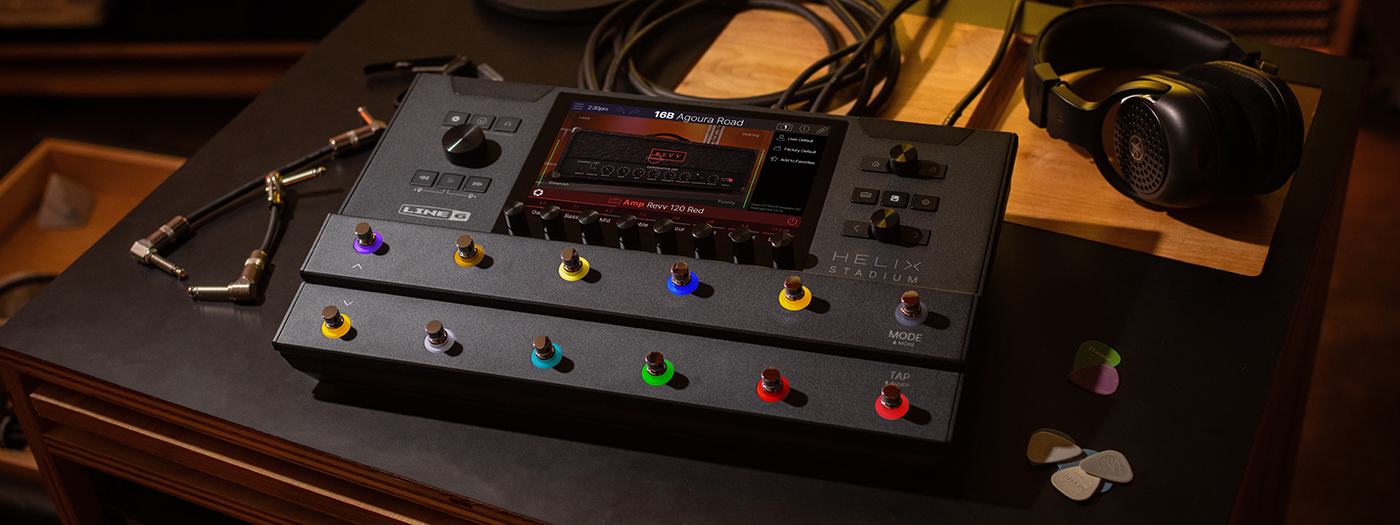
Perfect Practice with Helix Stadium Part 1: Using the Metronome
by Christian Basener
Practice makes perfect. Or, as the saying goes, perfect practice makes perfect. Most guitarists know that consistent, focused practice is the fastest route to improvement, but staying motivated can be a challenge, especially when technical exercises start to feel repetitive.
One of the simplest ways to make every practice session more productive is to improve your timing. Whether you’re working on scales, solos, rhythm playing, or finger exercises, a metronome acts as an honest practice partner that keeps you locked to the groove and highlights areas that need attention.
In the first part of this series, we’ll look at how the built-in metronome in Helix® Stadium can help develop tighter timing, cleaner technique, and a stronger sense of rhythm.
Using The Metronome
Best for: Timing, rhythm exercises and groove.
The first really helpful feature is the built-in metronome that is part of the unique Showcase™ automation and playback engine in Helix Stadium. Whether it’s a rhythm part, a solo, scale or arpeggio exercises that you’re working on, playing to a click will help keep your timing honest and your playing precise.
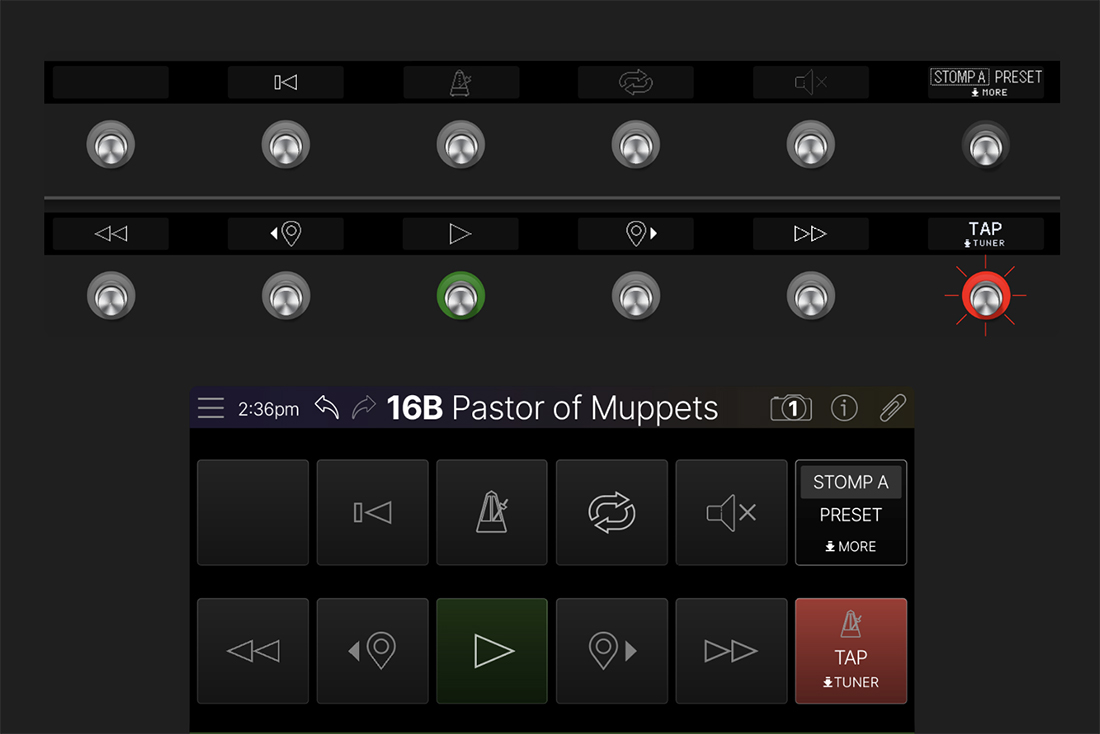
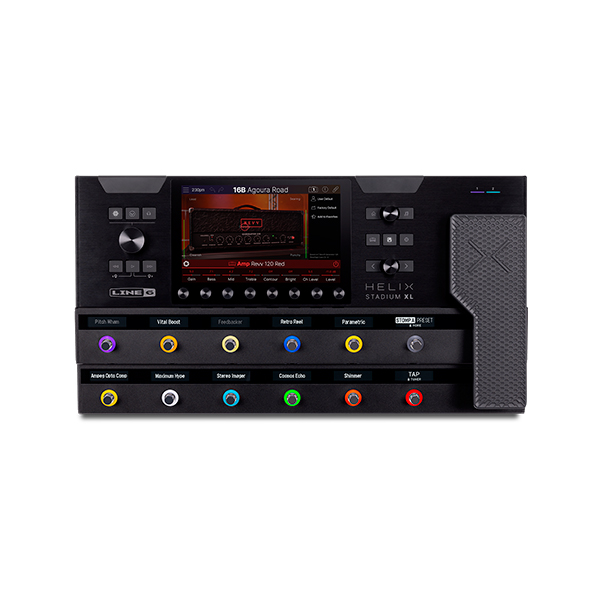
Simply press and hold the FS6 (MODE) footswitch on your Helix Stadium unit to access the More Mode, then press the TRANSPORT switch to view the transport functions. Now simply press FS3 (Click) to start and stop the click/metronome.
You can change the tempo by using the Tap/Tuner footswitch and tapping in your tempo or, for more precise adjustments, touch the capacitive footswitch to display the Tempo Panel and use the encoders to dial in the exact BPM.
Here’s a finger independence exercise that’s been used by many of the 80s players such as Steve Vai, Joe Satriani, Kirk Hammett and others.
Set your metronome to a tempo where you make zero mistakes and slowly push the tempo up as you’re getting more comfortable with the mechanics.
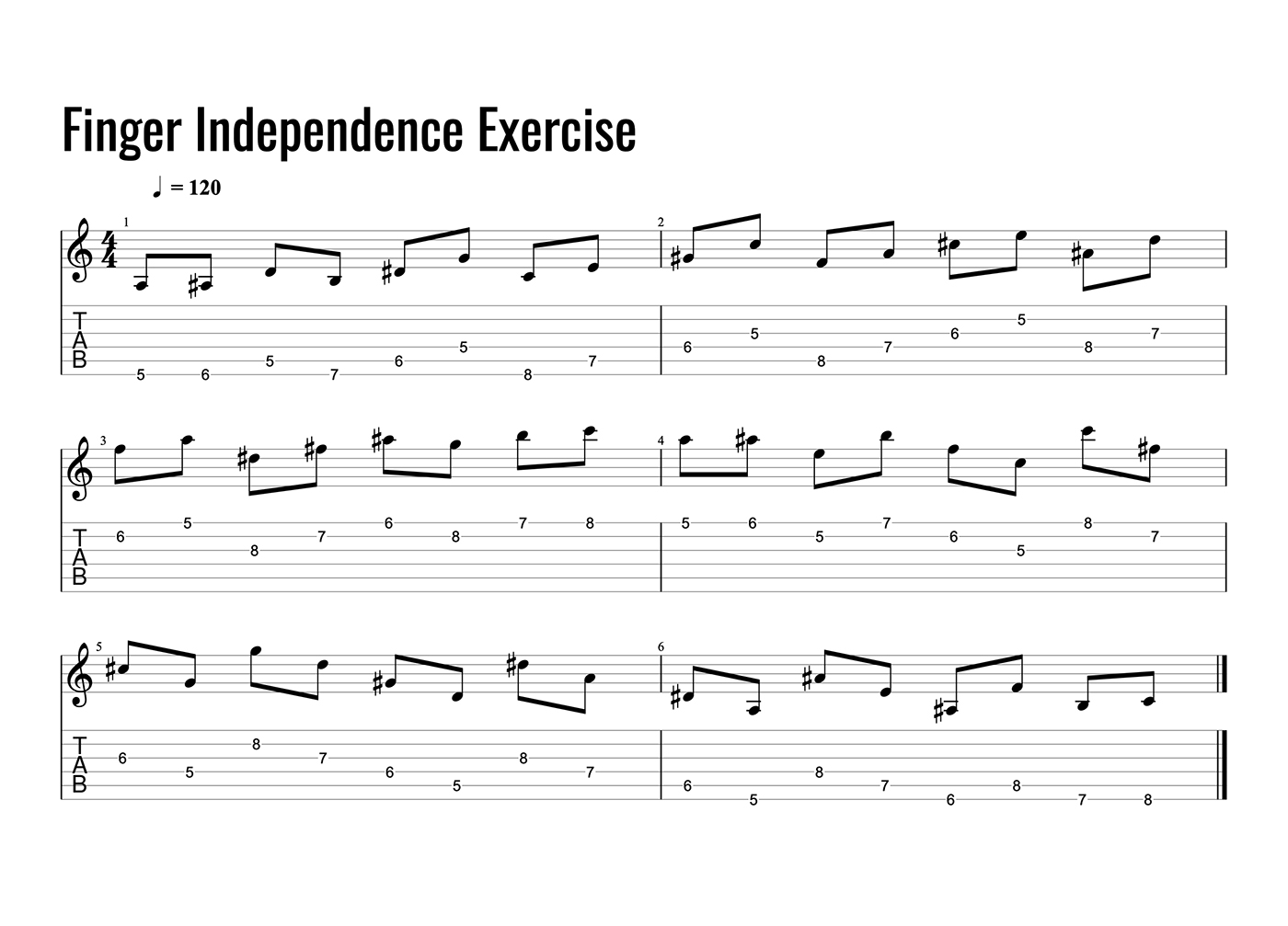
You can play this with alternate picking or economy picking. I recommend practicing both.
Bonus tip: try practicing with the metronome on beats 2 and 4 rather than every beat. This encourages you to internalise the pulse rather than relying on the click to do the work for you and can really help improve your groove and time feel.
To do it, simply halve the metronome tempo. For example, if you’re practicing a riff at 120 BPM, set the metronome to 60 BPM and treat each click as beats 2 and 4.
It can feel a little strange at first. Most people initially hear the click as beats 1 and 3, so you may need to count out loud for the first few bars to get locked in. Once it clicks (no pun intended), you’ll likely find your timing becomes much more solid and relaxed.
Download Preset
Download the Basic Practice preset featuring the Agoura™ model of John Petrucci’s favourite amp model (Mark II C+) and try the metronome feature inside the Showcase playback engine in Helix Stadium.
Download Basic Practice Preset
Coming Up Next
A metronome provides an essential rhythmic foundation, but timing is only part of the picture. The next step is adding harmonic context to your practice so scales, modes, and arpeggios sound more like music and less like exercises.
In Part 2, we’ll explore how to create drones and harmony beds using Helix Stadium, giving you inspiring harmonic backdrops for ear training, improvisation, and melodic development.

Chris Basener is Channel Marketing Manager, EMEA at Yamaha Guitar Group and a Munich Guitar Institute (MGI) graduate who has spent years performing live, recording, releasing original music, and helping guitarists develop their skills. Based in the UK, he can often be found planning trips to places most tourists overlook or being supervised by his two cats, Lemmy and Ozzy, who remain unimpressed by his guitar-playing antics.


Leave a Reply
You must be logged in to post a comment.